The App Download Question: What You're Actually Installing
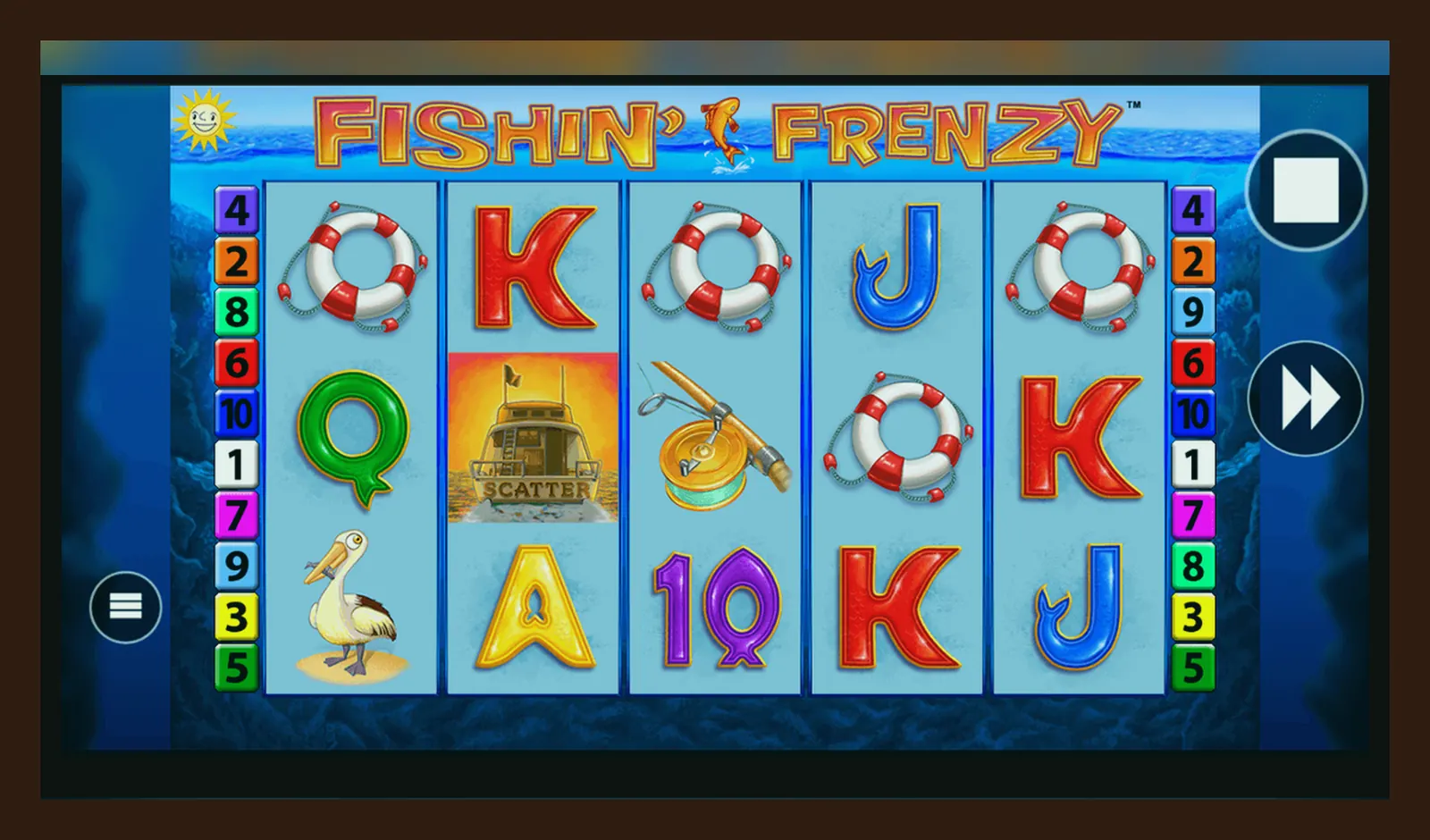
You tap the screen, the fisherman casts, and a prize fish splashes up with a 15× multiplier. Then the session freezes for three seconds, the reconnect banner appears, and you've lost the round. You check your balance: two spins' worth of stake gone. Was it the browser? The connection? The app version?
The Fishin' Frenzy «app» question comes up constantly, and the answer depends on what you mean by app. There's the browser route, the add-to-home-screen shortcut, the operator's native app, and the APK rabbit hole. Each path has a cost—some in convenience, some in security, and some in real money if you pick the wrong one.
What the Store Card Would Say (If It Were There)
Fishin' Frenzy isn't a standalone app you download from Google Play or the App Store. It's a browser-based slot that lives inside casino operators' platforms. But if it were listed as a product, here's what the card would show—and why the numbers matter when you're deciding where to play it.
The rating is an average from operator app stores and review aggregators—Blueprint's games generally sit between 4.0 and 4.5, with complaints clustering around volatility (long dry spells) and bonus frequency rather than technical faults. The size figure is crucial if you're on a capped data plan: the game assets cache in your browser or the operator app, but initial load and updates can pull 15–20 MB over mobile data.
Four Install Paths, Four Risk Profiles
Each route to playing Fishin' Frenzy on your phone trades convenience for control, speed for security, or features for simplicity. Here's what you're signing up for with each.
- **Browser (Chrome, Safari, Firefox):** Open the operator's site, log in, search for Fishin' Frenzy, tap Play. The game loads in HTML5. **Steps:** 1) Navigate to a UKGC-licensed casino site. 2) Complete age verification (passport or driving licence photo, takes 2–10 minutes). 3) Search the game library. 4) Tap the thumbnail. 5) Wait 5–15 seconds for assets to load. **Risk:** Low—no permissions granted beyond standard browser cookies. You lose your session if the browser tab closes or your phone locks. Cache builds up (5–8 MB), which you can clear in browser settings. Connection drops mid-spin are the main hazard; the game usually resumes on reload, but disputed rounds take 24–48 hours to resolve with the operator.
- **Add to Home Screen (Progressive Web App):** In the browser, tap the Share icon (Safari) or three-dot menu (Chrome), then Add to Home Screen. This creates a shortcut that opens the site in a standalone window. **Steps:** 1) Load the operator site in the browser. 2) Tap the share or menu icon. 3) Select Add to Home Screen. 4) Name the shortcut (e.g., «Casino» or the operator name). 5) Tap Add. The icon appears on your home screen. **Risk:** Still low—it's a bookmark, not an installed app. You're still playing in the browser, just without the address bar. No special permissions. Slightly faster load times because the browser treats it as a frequent destination, but session behaviour is identical. If the operator changes their URL structure, the shortcut breaks.
- **Operator's Native App (Google Play or App Store):** Download the casino's own app, which includes Fishin' Frenzy in its game library. Examples: Paddy Power, Betfair, Sky Bet, Grosvenor. **Steps:** 1) Open Google Play (Android) or App Store (iOS). 2) Search the operator name. 3) Check the developer matches (e.g., «Flutter Entertainment» for Paddy Power). 4) Tap Install. 5) Open the app, log in or register. 6) Complete age verification if you haven't already. 7) Navigate to Slots, search Fishin' Frenzy, tap Play. **Risk:** Medium—you're granting the app permissions (notifications, location for geofencing to confirm you're in the UK, sometimes camera for document upload). The app stores your login token, so session persistence is better. Faster load times, smoother graphics on newer phones, push notifications for bonuses. The trade-off: a 40–80 MB install, regular updates (weekly to monthly), and more data collection (session length, game preferences, deposit patterns). Only download from the official store and verify the developer name—fake clones exist.
- **APK (Android Package) from a Third-Party Site:** An .apk file is the raw installer for Android apps, bypassed around Google Play. You download it from a website, enable «Install from Unknown Sources» in settings, and run the file. **Steps:** 1) Find an APK hosting site claiming to offer the operator's app. 2) Enable Unknown Sources in Android Settings > Security. 3) Download the .apk file. 4) Tap the file in your downloads folder. 5) Confirm the install. 6) Open and log in. **Risk:** High to extreme. APKs outside the Play Store aren't vetted by Google. The file could be a legitimate older version of the operator app, or it could be modified to log your credentials, inject fake game results, or siphon deposits to a fraudulent account. UKGC-licensed operators **never ask you to download an APK**—their apps are always in the official stores. If a site pushes an APK, it's either unlicensed (illegal to serve UK players) or outright malicious. You'll also fail security checks when the operator's system detects the app signature doesn't match their official build. Avoid this path entirely unless you're installing from a verified source for testing purposes, and even then, use a burner account with no real money.
Phone Requirements: Where the Money Leaks If You're Under-Spec
Fishin' Frenzy will technically run on anything from a 2018 mid-range Android or an iPhone 7 onwards, but «runs» and «runs well enough to avoid costly mistakes» are different standards. Here's what the game actually demands, and what happens when your hardware can't keep up.
- **Processor and RAM:** A quad-core chip (Snapdragon 600-series or Apple A10 equivalent) and 3 GB of RAM are the floor. Below that, you'll see frame drops during the free-spins bonus, especially when multiple fish symbols animate at once. The game doesn't crash, but it stutters, and a stutter during the last second of a spin can delay the result display. If you're playing at £2.00 or £5.00 per spin, a two-second lag feels longer when you're watching your balance tick down.
- **Screen and Touch Response:** The game is designed for 5-inch to 6.5-inch screens at 720p minimum. On smaller or lower-resolution displays, the UI elements (bet adjustment, spin button, paytable) compress, and accidental taps are common—particularly the Max Bet button, which sits near the Spin control on some operator skins. A mis-tap at max stake costs you £5.00 (or £2.00 if you're 18–24) instead of your intended £0.50.
- **Connection Stability:** The game pulls 1–2 MB per 10-minute session over mobile data after the initial load. On 3G or patchy 4G, disconnects are frequent. When the game reconnects, the spin completes server-side, but you don't see the animation—just the outcome and your new balance. If you lose, that's fine; if you win, you miss the dopamine hit of watching it land, which affects your perception of the session. Some players chase losses harder after «invisible» wins because they don't feel real.
- **Battery and Heat:** Continuous play (30+ minutes) drains 15–20% battery on older phones, more if the screen brightness is high. The phone warms up, the processor throttles, and frame rates drop further. This doesn't change the RNG, but it changes your experience—sluggish graphics make you feel like the game is «cold,» even though mathematically nothing has shifted.
If your phone is older than three years and you're playing at higher stakes, test the game in demo mode first (available on most UKGC sites after login and age verification). If the free-spins round lags, you'll have the same problem with real money.
What the App Actually Does (and Doesn't)
Whether you're using the browser, a home-screen shortcut, or the operator's native app, the Fishin' Frenzy game logic is identical—it's the same HTML5 build served from Blueprint's content delivery network. What changes is the wrapper around it: the operator's interface, account features, and session handling.
- **Game Session:** The app (or browser) maintains your login token and balance. When you tap Spin, your stake is deducted, the RNG outcome is calculated server-side, and the result is animated on your screen. The spin is recorded in your transaction history (required by UKGC rules), which you can review in your account. If the session drops mid-spin, the result is already determined—the game resumes where it left off when you reconnect.
- **Deposits and Withdrawals:** The app lets you add funds via debit card, PayPal, Apple Pay, Open Banking (Trustly), or paysafecard. Credit cards have been banned for gambling in the UK since April 2020, so if a payment method asks for a credit card, stop—you're on an unlicensed site. Deposits are instant; withdrawals to e-wallets take a few hours to 24 hours, Faster Payments to your bank take same-day to 2 working days, and debit card returns take 1–3 working days. Your first withdrawal triggers KYC (identity and address documents), which adds 24–48 hours. Affordability checks start from £150 net deposits per month, using credit-reference data in the first stage; higher deposit limits may require payslips or bank statements.
- **Notifications and Promotions:** Native apps can send push notifications for bonuses, deposit matches, and free-spins offers. These are opt-in (you grant notification permission during install), but they're designed to pull you back. A «20 free spins on Fishin' Frenzy» notification sounds generous, but the wagering requirement is typically 40×–65× the bonus amount, and the maximum win from free spins is usually capped at £50–£100. Read the terms before you claim.
- **Limits and Self-Exclusion:** Every UKGC-licensed operator must offer deposit limits (daily, weekly, monthly) and session time reminders. These are in Account Settings. If you set a £50 weekly deposit limit, the app enforces it across all devices. GAMSTOP is the UK-wide self-exclusion scheme—one registration blocks you from every UKGC site for 6 months to 5 years. If you're using limits or considering exclusion, BeGambleAware (linked in the operator's footer) offers free support.
The app doesn't change the RTP (96.12% in the base game, 96.01% with the Jackpot King feature if active), it doesn't alter volatility, and it doesn't make bonuses more frequent. It's a portal to the same server-based game, with account management and payments baked in.
Version Notes: What Changed and What It Means for Your Bankroll
Blueprint updates the Fishin' Frenzy game logic every quarter, and operator apps release patches monthly. The version number in the store card (currently 3.8–4.1 for major UK operators) reflects the app wrapper, not the game itself. Here's what recent updates have addressed, and why they matter if you're playing regularly.
- **December 2025 Game Update:** Blueprint pushed a patch to fix a rendering bug in the free-spins bonus where fish symbols occasionally overlapped, making it unclear which positions held prizes. The bug didn't affect payouts (the RNG and payout calculation were correct), but players reported confusion and disputed rounds. The fix improved symbol layering and added a brief highlight animation to each prize fish before the total is displayed. If you're playing on an older operator app that hasn't updated its game library, you might still see the overlap on rare occasions—it's cosmetic, not a payout error, but it feels dodgy.
- **January 2026 Operator App Updates (Paddy Power, Betfair, Sky Bet):** The latest app versions include a session-timer overlay (required by UKGC rules) that appears every 30 minutes, showing your net position (deposits minus withdrawals and current balance). You can dismiss it, but it reappears. The goal is to prompt awareness of losses. Some players find it intrusive; others credit it with stopping runaway sessions. It doesn't pause the game, so if you're in the middle of a bonus round, you'll see the overlay and have to tap through it—annoying, but mandated.
- **Stake-Cap Enforcement by Age (April 2026):** Operators updated their apps to enforce the £2.00 per spin cap for players aged 18–24, using the birthdate from your verified ID. If you're in that age bracket, the Bet selector won't let you exceed £2.00 on Fishin' Frenzy or any other slot. This was a UKGC rule introduced in April 2026 to address gambling harm in younger adults. If you're 25+, the cap is £5.00. The app reads your age from the account database, so there's no bypass—attempts to edit your birthdate trigger a re-verification.
Spotting Fake Clones: Permissions, Promises, and the UKGC Check
Fake Fishin' Frenzy apps and sites are everywhere—some are crude scams, others are polished enough to fool casual players. The goal is always the same: steal your deposit, clone your payment details, or lock you into a rigged game that looks like the real thing but pays out at a fraction of the stated RTP. Here's how to spot them before you hand over money.
- **Developer Name Mismatch:** In Google Play or the App Store, the developer should be a known operator (Flutter Entertainment, Entain, Sky Betting and Gaming) or the operator's legal entity. If the developer is «FishingFrenzy Ltd,» «BluePrint Games Mobile,» or a random string, it's fake. Blueprint licenses the game to operators; they don't publish standalone apps.
- **Permission Red Flags:** A legitimate casino app asks for notifications, camera (for KYC document upload), and location (to confirm you're in the UK, since geofencing is required by UKGC rules). A fake app asks for SMS access, contacts, or storage read/write permissions beyond what's needed to cache game data. If an app wants to read your messages or access your photos, uninstall it.
- **Promises of Hacks, Mods, or Guaranteed Wins:** Any site or app claiming «Fishin' Frenzy mod APK with unlimited coins,» «hack to trigger free spins,» or «RNG predictor» is a scam. The game runs server-side; your device only renders the animation. There's no client-side file to edit, no exploit to inject. These apps either deliver nothing (a fake game with no real-money connection) or steal your credentials when you «log in.»
- **Missing UKGC Licence Number:** Every operator serving UK players must display their UKGC remote gambling licence number in the footer of their site and app. The number format is xxx-xxx-xxx (e.g., 000-039-372 for Paddy Power). Check the UKGC public register at gamblingcommission.gov.uk—if the operator isn't listed, or the licence number doesn't match, it's unlicensed and illegal to operate here. Unlicensed sites don't follow RTP disclosure rules, don't segregate player funds, and don't honour disputes.
- **Too-Good Offers with No Wagering Transparency:** A fake site might advertise «£100 free, no wagering» or «500% deposit match.» Real UKGC offers always state the wagering requirement (usually 40×–65×), the maximum bet while wagering (often £5.00), and the expiry (7–30 days). If the terms are vague or missing, it's a lure. You'll deposit, play, win, and find you can't withdraw because the «bonus» was never real.
Before you install any app or deposit on any site, do three checks: verify the developer in the app store, find the UKGC licence number in the footer and cross-reference it in the public register, and search for recent reviews mentioning withdrawal problems. If any check fails, walk away. The five minutes you spend verifying can save you hundreds of pounds and the hassle of a fraud report.
FAQ
Can I play Fishin' Frenzy for free without signing up?
Demo play is available on most UKGC-licensed sites, but you'll need to log in and complete age verification (18+) to access it. The UKGC requires operators to confirm you're of legal age before showing any gambling content, even in demo mode. Once verified, demo play is unlimited and uses virtual credits—no real money at risk. The demo version runs on the same RNG and RTP as the real-money game, so it's a useful testing ground for understanding volatility and bonus frequency.
Why does the app ask for my location?
UKGC rules require operators to verify you're physically located in the UK when you play, using geofencing. The app checks your GPS or IP address each session. If you're abroad (even on holiday), you won't be able to deposit or play for real money—gambling is only legal from within UK borders. This is why the app requests location permission during install. If you deny it, you can still browse the game library, but you'll hit a geofence block when you try to spin.
What happens if the app crashes mid-spin?
The spin outcome is determined server-side the moment you tap the button, so a crash doesn't void the result. When you reopen the app and log back in, the game resumes with your new balance reflecting the completed spin. If you were in the middle of a free-spins bonus, the round continues from where it left off. If you think the result is incorrect, check your transaction history (every spin is logged, required by UKGC rules) and contact the operator's support with the session ID and timestamp. Disputed rounds are reviewed within 24–48 hours.
How do I know the APK isn't from the real operator?
No UKGC-licensed operator distributes APKs outside Google Play or the App Store. If a site offers a Fishin' Frenzy APK or an operator-branded APK, it's either unlicensed or fake. The official apps are always in the stores, verified by the platform (Google/Apple) and listed under the operator's legal entity. Check the developer name in the store listing and cross-reference the operator's UKGC licence number in the public register. If you've already installed an APK from a third-party site, uninstall it immediately, change your casino account password, and contact your bank if you entered payment details.